
Explore the Focal AI Agent Browser Extension
Save hours every week by letting Focal fill in supported forms & documents within your browser, and retrieve client information across all your tools no matter where you are.
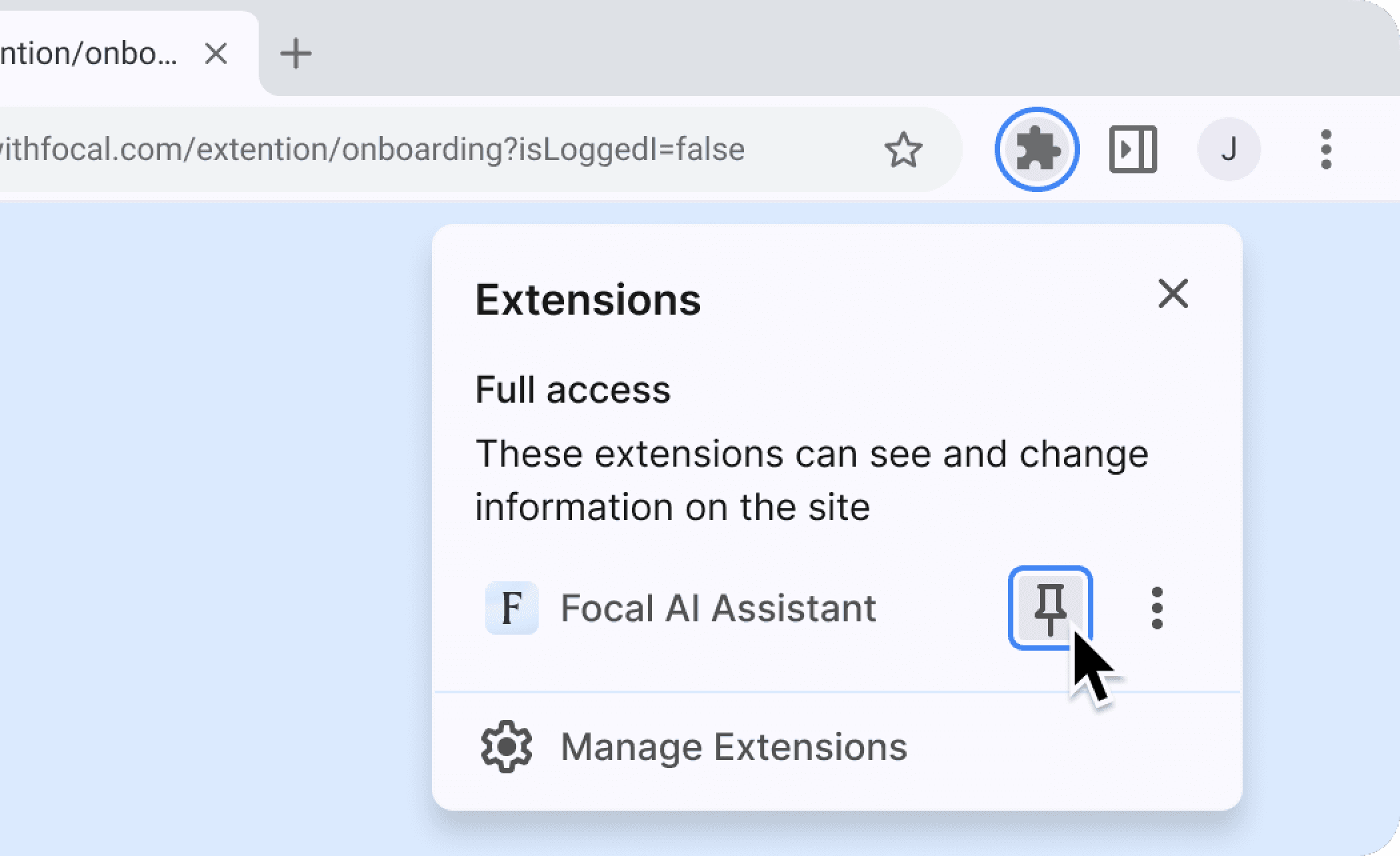
Pin the extension
Pin Focal to your toolbar for immediate, one-click access to client data and automations, whenever and wherever you work.
Click the Puzzle Piece: Select the Extensions icon in the top-right of your Chrome browser.
Find Focal AI: Locate "Focal AI Assistant" in the list.
Click the Pin: Click the pushpin icon next to the name.
Done: The Focal 'F' icon will now be visible in your toolbar!
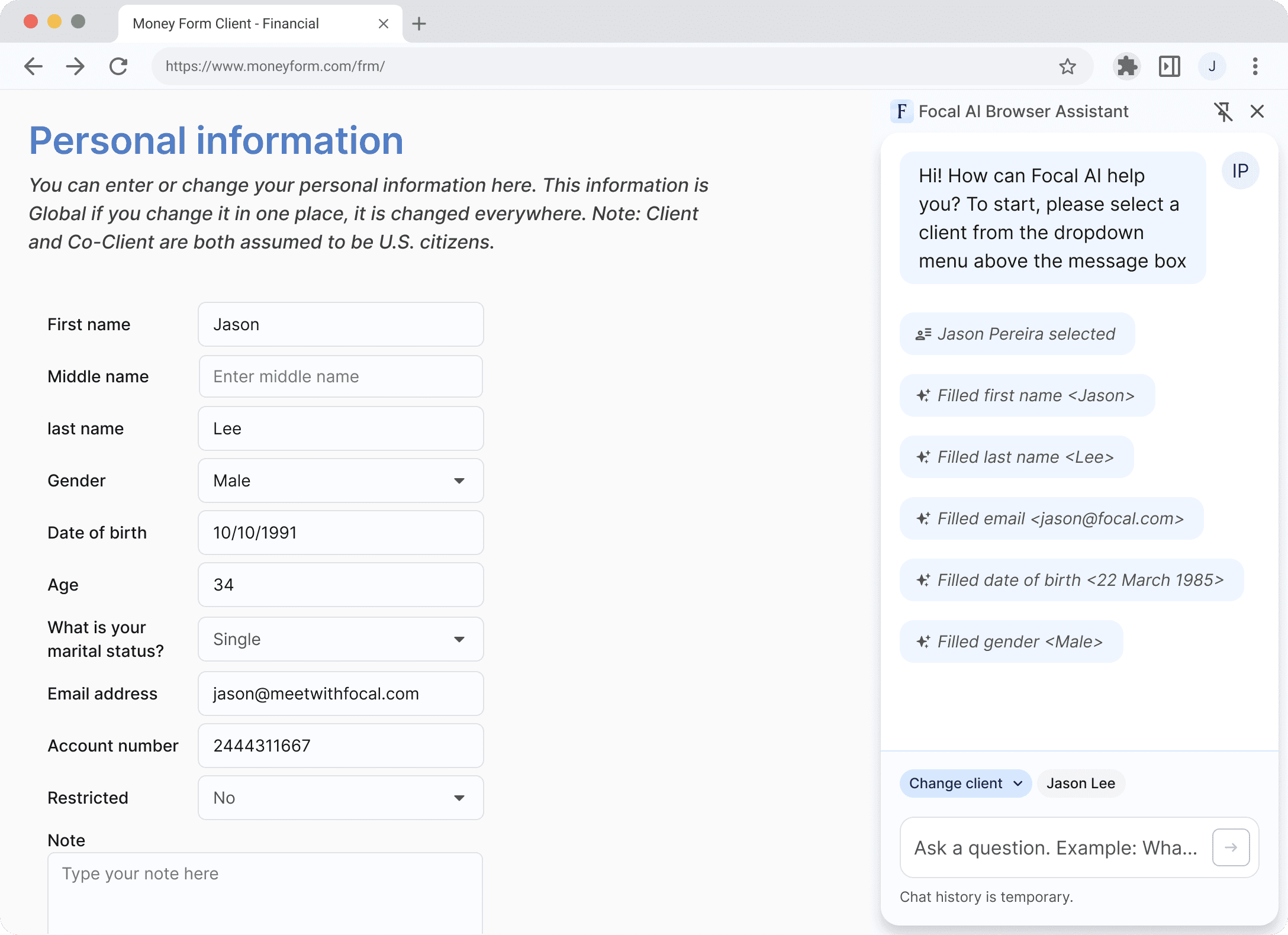
Autofill supported forms
Eliminate manual data entry. Focal securely pulls selected client data and fills supported forms automatically, saving you time on repetitive tasks.
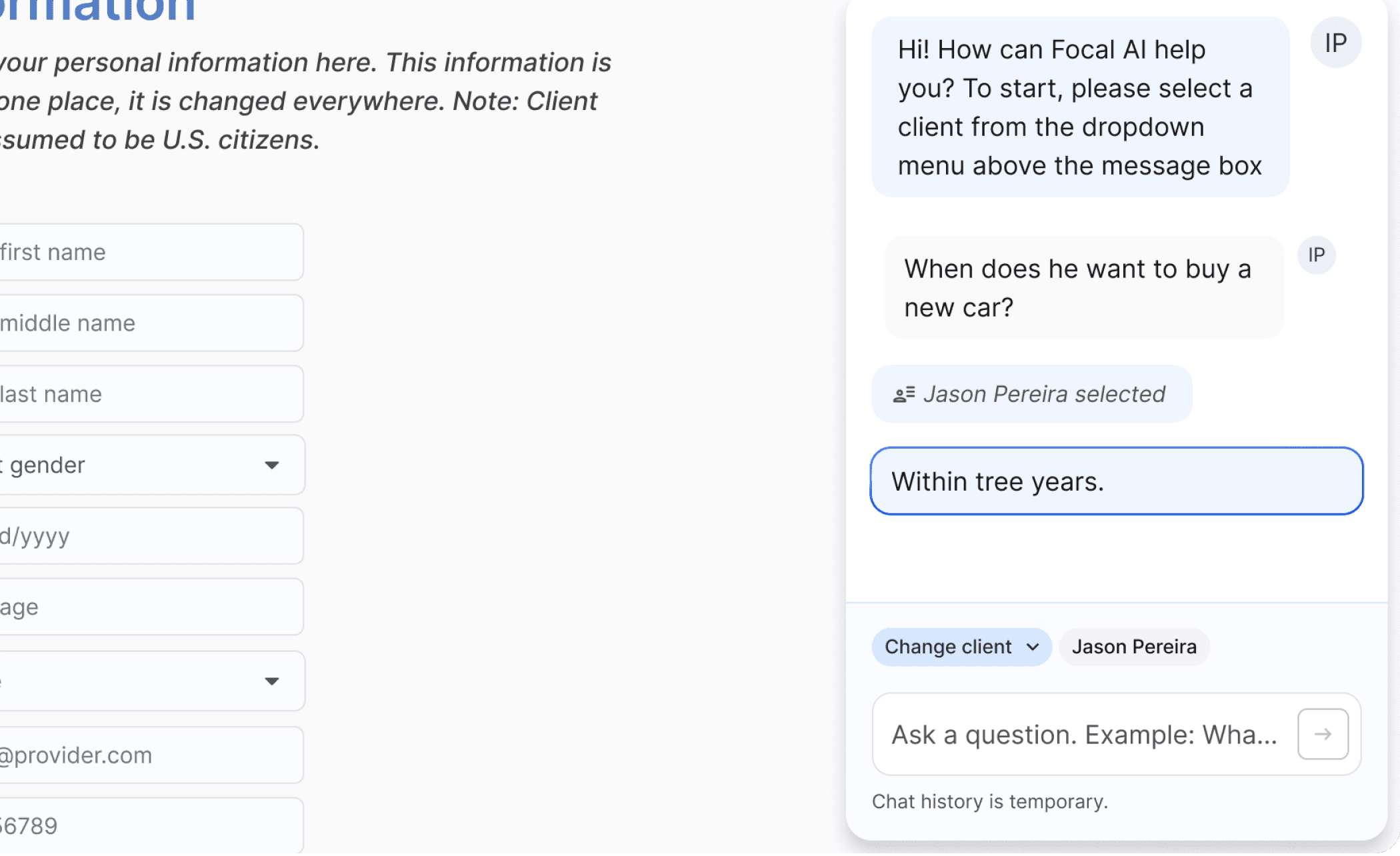
Ask anything
Query client information, on any website while you work. Once a client is selected, ask Focal questions about their data, profile, or history, and get immediate answers across all connected tools.